Built for nonprofit teams of 1–10
Run your
nonprofit from
one place.
BloomOS puts your week, donors, grants, programs, finances, board work, and reporting in one place.
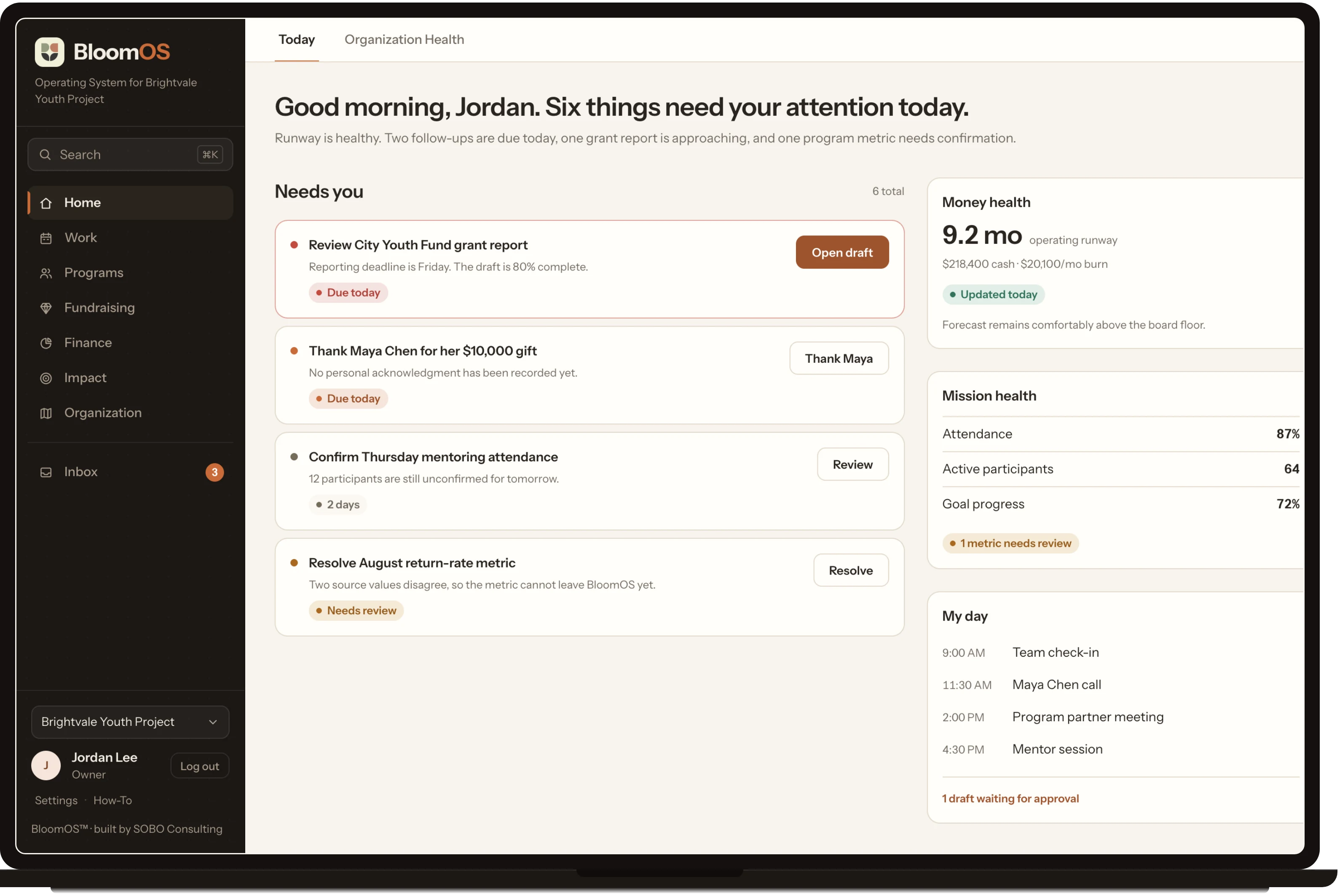
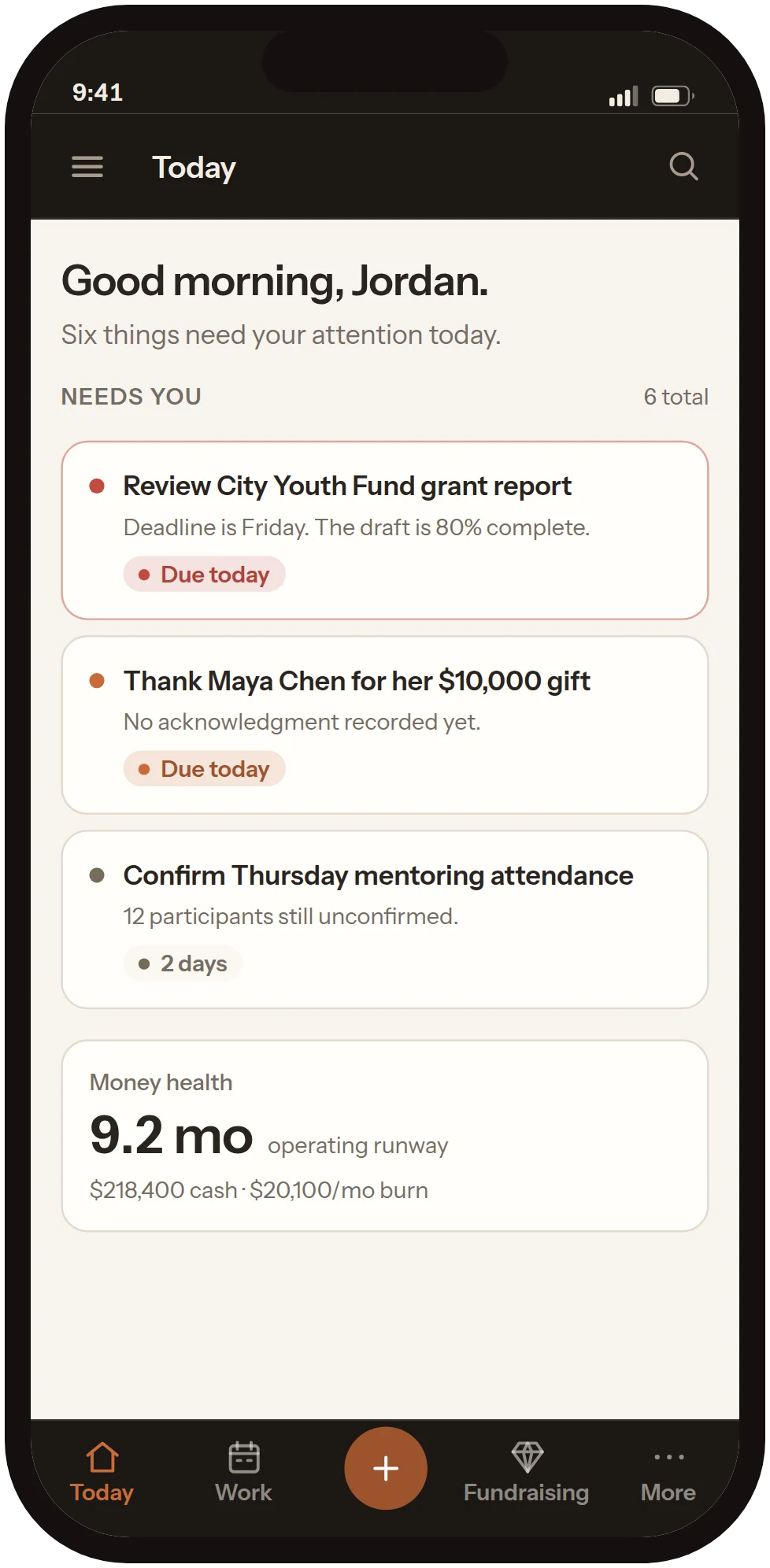
- See what needs your attention today
- Plan a week your team can actually finish
- Know who to call next
The problem
Your staff is doing work your software should be doing.
The plan is in a document. Donor history is in a spreadsheet. Program notes are in someone’s inbox. Finance has its own software. The rest is in your head, and the board packet gets rebuilt by hand every quarter.
Each tool works fine on its own.
Nothing connects them.
So your staff moves the information between them by hand, every week.
These all have to agree
How it works
How your team uses it.
Today
See what needs you today.
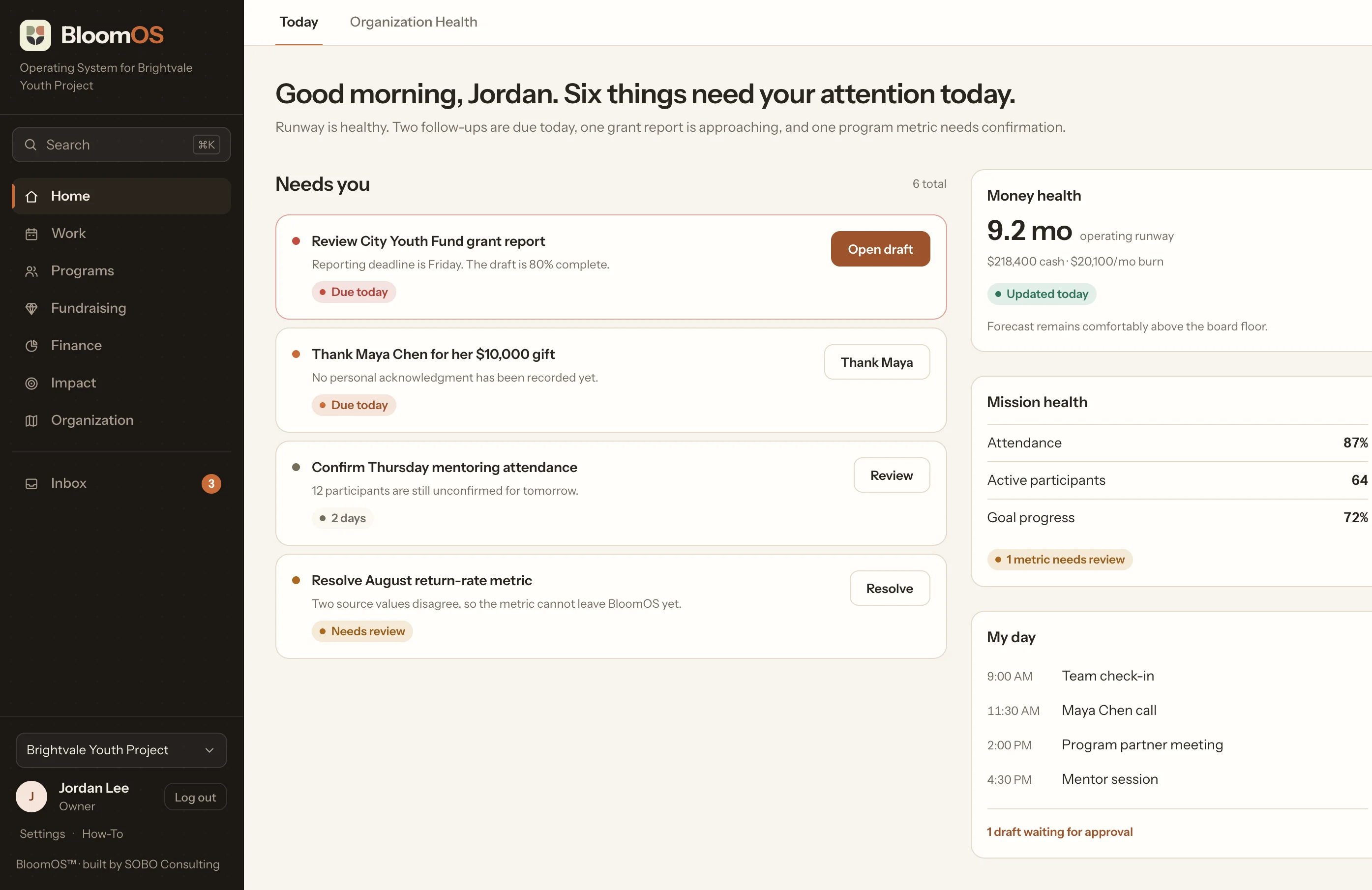
BloomOS checks every part of the organization: fundraising, grants, programs, finance, compliance, meetings. What needs you today comes back as one list, most urgent first. Each item says why it matters and what to do next.
Donors
Know who to call next.
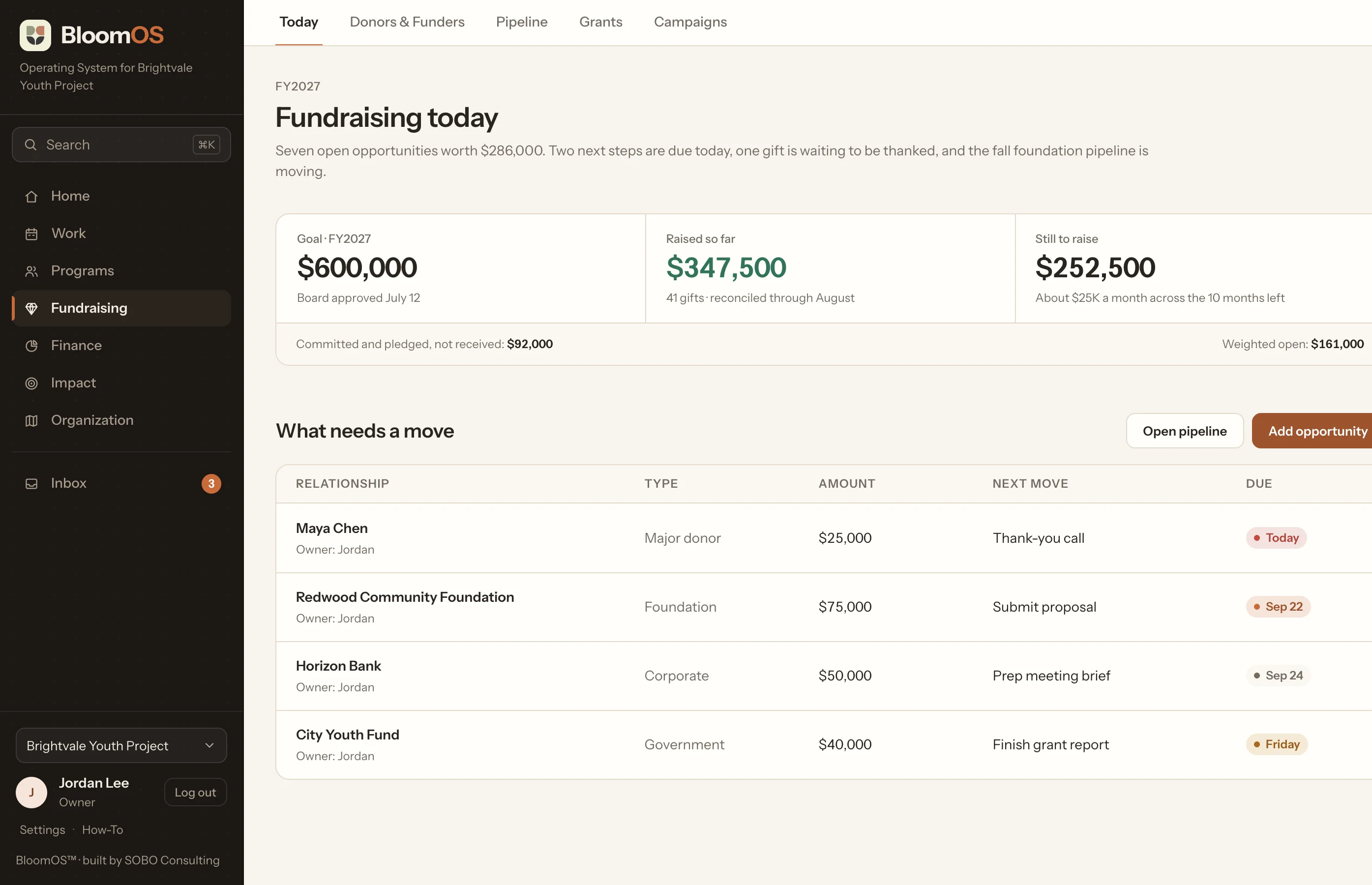
Every donor and funder has one record: what they've given, what you talked about last time, and the next step with a person and a date on it. BloomOS tells you which relationships need a move this week, and what the move is.
This week
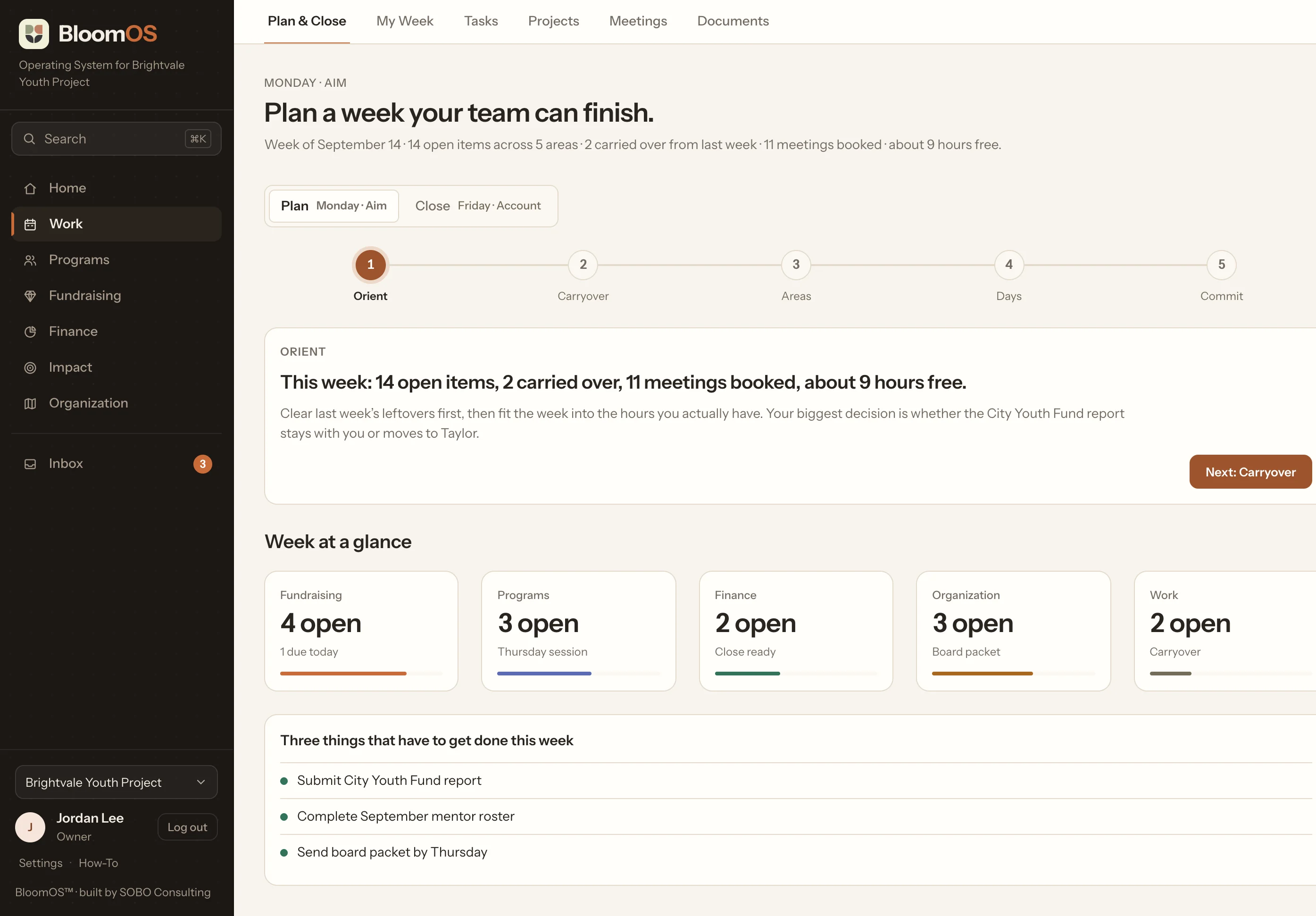
Plan a week your team can finish.
On Monday, your team clears last week's leftovers, checks how many hours are actually open on the calendar, and picks a week that fits. On Friday, every item gets closed out: finished, moved, or dropped.
Product
The whole organization, connected.
Seven sections, one set of records. Plus an inbox for anything new coming in.
Home
Today is one list of what needs you, pulled from every part of the organization. Organization Health shows how the whole thing is doing.
Why one system
You shouldn’t have to enter the same information five times.
When something changes, BloomOS updates the places that depend on it.
The gift is recorded against the funder and the grant it belongs to.
The thank-you becomes an obligation with an owner and a date.
Cash and runway update, and the forecast moves with them.
The reporting requirements attached to the grant stay visible.
The next board report uses the same trusted number.
Trusted numbers
Your board shouldn’t get three versions of the truth.
Every important number in BloomOS shows where it came from, who owns it, and when it was last updated. If two sources disagree, BloomOS flags it before the number reaches a board deck or a funder report.
Nobody has to ask which spreadsheet is the right one.
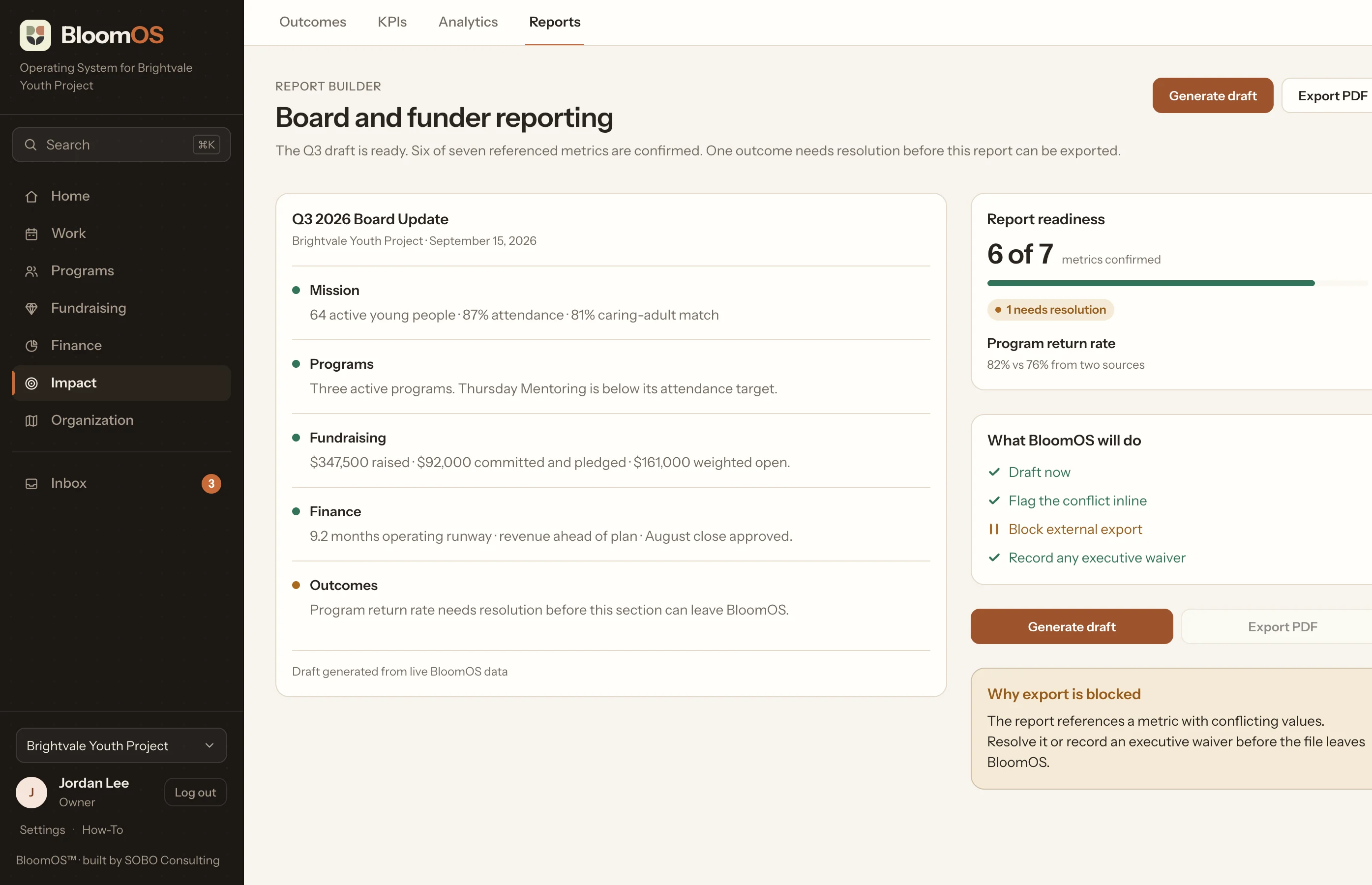
One number came back two different ways, so BloomOS holds the export until someone settles it.
Reed
AI that helps. Humans still decide.
Reed can read everything already in BloomOS: documents, metrics, donor history, and the week ahead. It can research, explain, draft, and suggest what to do next. Nothing changes until your team approves it.
Reed proposes
A draft board summary, a background brief on a funder, a warning that a number is out of date, or a suggested next step.
You decide
Nothing enters the record until a person accepts it.
Ask Reed
What is putting our runway at risk?
Brief me before my meeting with this funder.
Which metrics are stale?
Draft the board narrative.
What should I follow up on this week?
Where it came from
Built first at Ambition Angels.
Ambition Angels is a small nonprofit team managing programs, fundraising, grants, finance, strategy, board work, partnerships, and reporting at the same time. BloomOS started as the system we needed to keep that work in one place.
We built it because we needed it.
It still runs there every week. The screens on this page are the real interface, with a demo organization’s data in place of a real one.
Pricing
One price per organization.
Unlimited users. Unlimited records. You pay per organization, not per seat.
Bloom
$100/mo
For teams ready to stop running the organization out of separate tools.
All seven sections: Home, Work, Programs, Fundraising, Finance, Impact, and Organization.
The software.
Bloom Grow
$250/mo
For teams that want Reed helping with research, drafts, and next steps.
Everything in Bloom. Reed researches funders, writes first drafts of reports and briefs, flags numbers that have gone stale, and suggests what to do next. Your team approves all of it.
The software, plus Reed in preview
Bloom Flourish
$850/mo
For teams that want the software plus hands-on support.
Everything in Grow, plus monthly coaching and planning support from Sobo Consulting.
The software, Reed, and a person.
The Custom Build
from $7,500 one time
BloomOS shaped to your organization. We tailor what your team sees, move your data over, set up your plan, and train your staff to run it.
Every plan starts with a walkthrough. We don’t ask for a card up front.
Boundaries
What BloomOS doesn’t replace.
Does BloomOS replace QuickBooks?
No. Keep QuickBooks. BloomOS gives you a working view of cash, runway, budget, forecast, and transactions so you can make decisions without opening the books.
Does BloomOS process donations?
No. Keep your payment processor. BloomOS handles the relationship: history, next steps, pipeline, forecasting, and the follow-up work.
Can we bring our existing data?
Yes. We import your data using your own fields and wording, not a generic template.
Does Reed change our data automatically?
No. Reed drafts and proposes. A person approves before anything enters the record.
Can we use our own terminology?
Yes. You set your own terms and fields, so the system uses the words your team already uses.
Bring us the messy version.
You don’t need to tidy anything up first. Show us how your organization runs today and we’ll show you what we would put in order first.
45 minutes on a video call. No pitch deck required.
Tell us what’s going on and we’ll write back. Or email hello@bloomos.org directly.